add-circle-bold
add-circle
add-square
add
alarm-bell-1
alert-diamond
analytics-pie-2
archive
archive
arrow-down-1
arrow-down-2
arrow-left-1
arrow-right-1
arrow-up-1
attachment-1
bin-paper-1
book-star
button-record
check-1
check-circle-1
close
close-quote
close
cog-1
cog
common-file-stack
copy-paste
credit-card-1
diagram-fall-down
disable
time-clock-midnight
download-thick-bottom
drawer-send
envelope-letter
envelope-letter
expand-6
expand-6
file-code
filter-1
floppy-disk
flying-insect-honey
folder-file-1
headphones-customer-support
hierarchy-9
hyperlink-2
information-circle
keyboard-arrow-down
keyboard-arrow-up
layout-module-1
list-bullets
lock-2
lock-unlock-1
love-it
messages-bubble-square
move-to-top
multiple-circle
multiple-neutral-1
multiple-users-1
network-browser
open-quote
pencil-1
pencil-write
pencil-1
print-text
rating-star
rating-star
remove-circle
remove-square-1
search
send-email-1
shield-warning
single-neutral-actions
single-neutral
smiley-sad-1
smiley-unhappy
smiley-indifferent
smiley-smile-1_1
smiley-happy
smiley-sad-1
smiley-unhappy
smiley-indifferent
smiley-happy
smiley-thrilled
synchronize-arrows-1
tags-double
ticket-1
ticket-1
time-clock-circle
undo
view-1
view-off
view
wench
Timesheets
Payroll Report
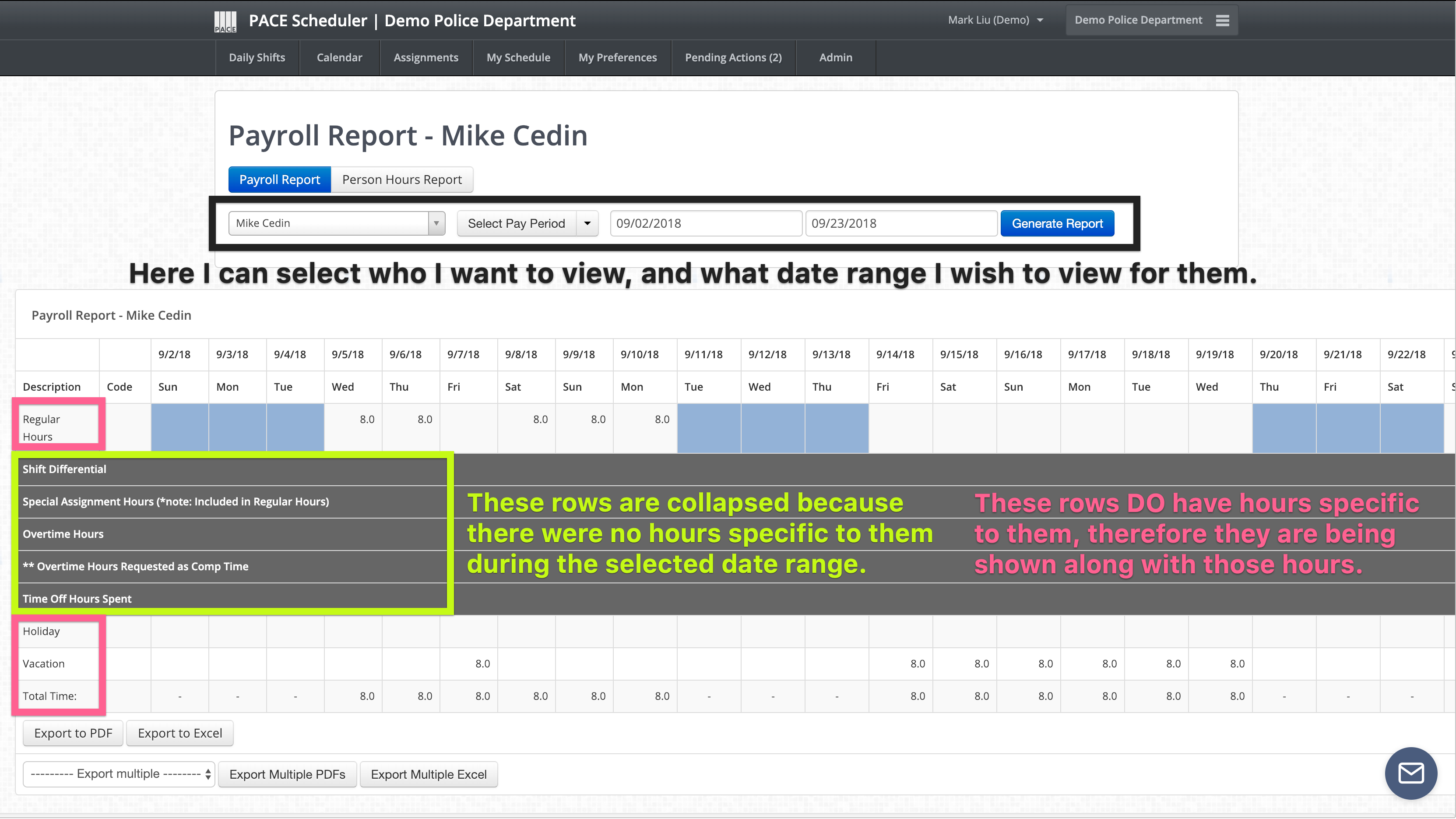
This report gives you a detailed view of the hours each person worked, used, or was otherwise scheduled for during a specified period.
Person Hours Report
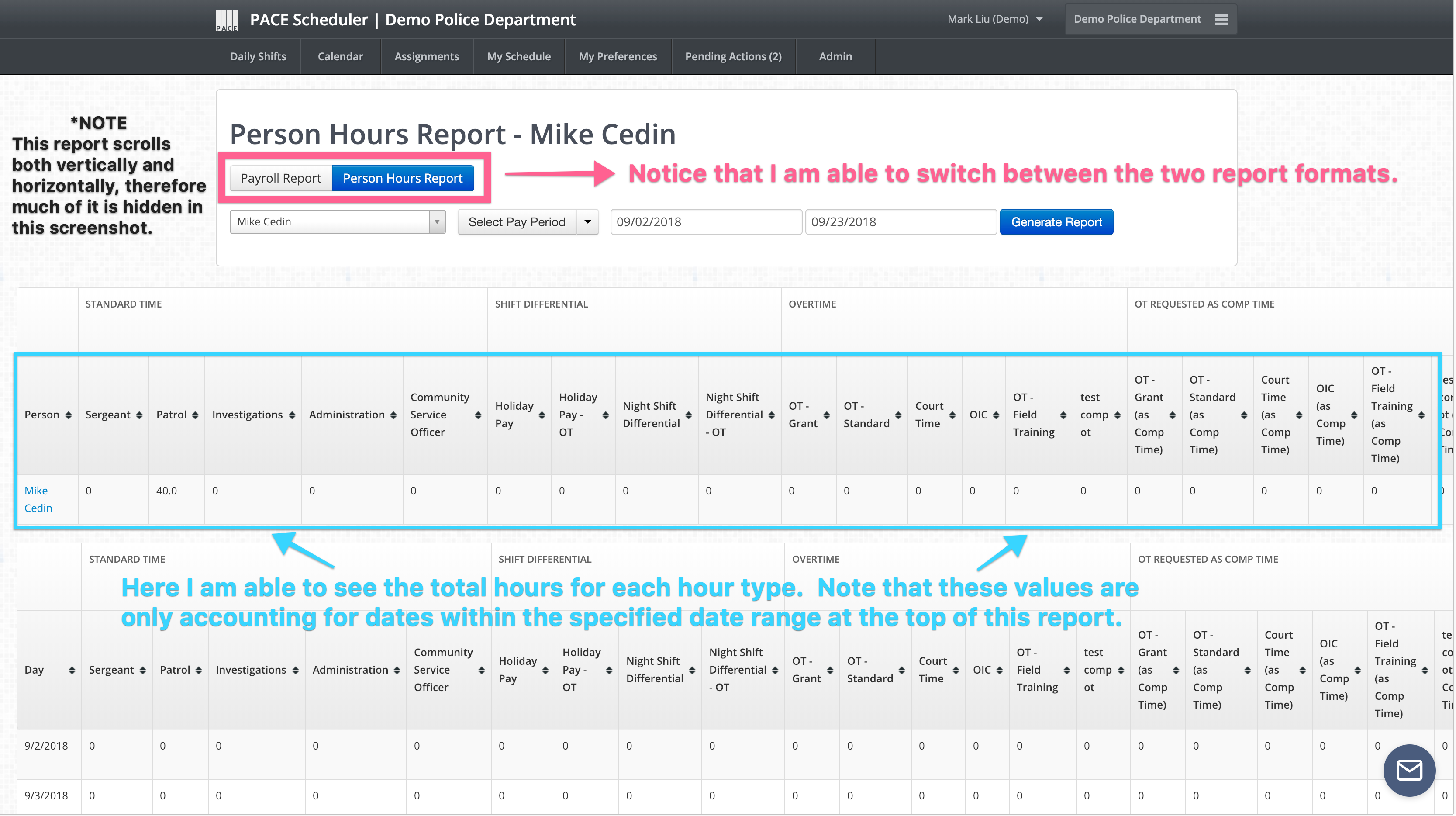
If you click over to to the "Person Hours Report" at the top of this page, you will instead be able to view a specific user's sum total for every hour type in a given period. This is effectively identical the the general "Hours Report (dept. wide)", except instead of seeing every single user in the dept. you will instead see only the user you have selected.