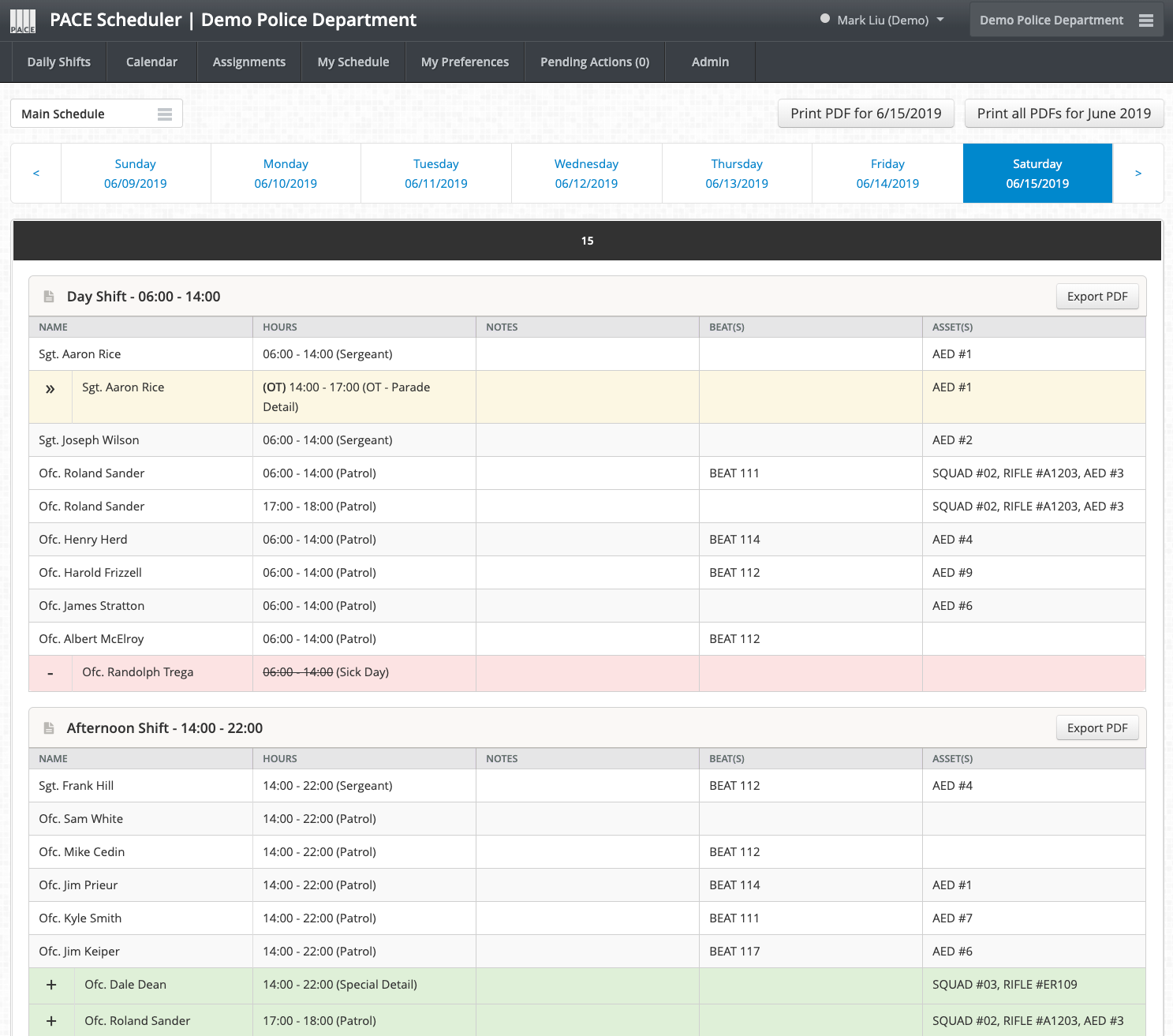
How can I use this tab/page?
This tab/page is not meant for editing schedules, it is simply for viewing an organized listing of who is currently scheduled to work on a particular day. It will only list those who are scheduled to work, or who were scheduled to work, but took the day off (vacation, sick, personal, etc.), in which case they will be listed, but will be highlighted in some fashion, and have their shift time crossed out.
It is organized just like the Calendar Tab in terms of Group order & Schedule View options, with each Group receiving their own section, as well as the ability to flip between the various Schedule Views that your site has (if any).
You can view the Daily Shifts for different dates by clicking the date you are looking for in the date selection area near the top of the page. Be sure to click the left and right arrows in that date selection area to see the previous/next 7 days.
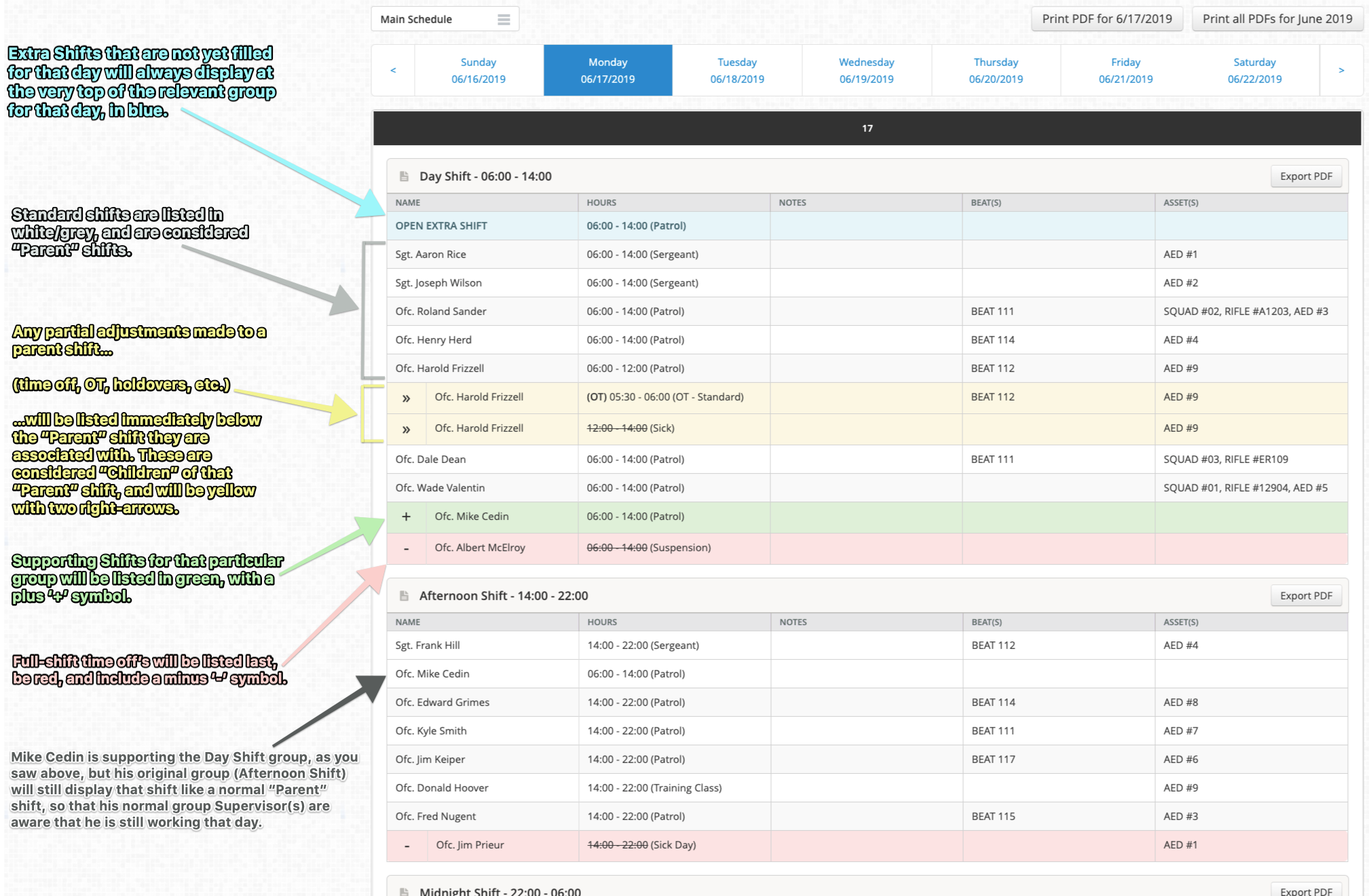
Within a group, the order that various items are displayed will always remain consistent. That order is...
- Un-filled Extra Shifts for that particular group & day.
- These use a blue background.
- These use a blue background.
- Standard Shifts that each user is working. These are considered "Parent" shifts, which will make more sense after reading #3 below.
- These use a white or grey background.
- If "Additional Time" is used on the schedule, that additional time will become a second, brand new Parent Shift.
- "On-Call" shifts (if enabled for your site) will show in the same order/precedence as Parent shifts, but they will use a bright-yellow background, with "On Call" listed next to them.
- These use a white or grey background.
- Partial Adjustments made to a parent shift. These are considered "Children" of the preceding "Parent" shift. These are items that affect portions of that "Parent" shift, rather than the shift as a whole. These can be anything from partial time off, partial OT, holdovers, etc., and will always be listed immediately after the Parent Shift that they are associated with.
- These use a soft-yellow background with two right-arrows.
- Keep in mind that these could be interspersed throughout the various Parent Shifts.
- These use a soft-yellow background with two right-arrows.
- Supporting Shifts. If your site has "Support Row/Supporting Shifts" enabled for a group, any supporting shifts for that group will be listed here. These will always be people from other Groups, as they are "supporting" the group in question.
- These use a green background with a plus "+" symbol.
- If someone from one group is supporting another group, that supporting shift will show up in the other group as a supporting shift, but it will also show as a Standard Shift in the user's original group. This is so the original group's supervisor(s) are aware that the user is still working a shift that day, albeit in a different group.
- These use a green background with a plus "+" symbol.
- Full-shift time off's. These are people that are off for the entire parent shift, rather than just part of it.
- These use a red background with a minus "-" symbol.